Understand how your team works.
Without invasive surveillance.
Work+ gives teams real-time visibility into work activity across browsers and Windows — with productivity insights, detailed reports, and website controls.
No credit card · Setup in minutes · 14-day free trial
Work visibility, without surveillance.
No screenshots
Work+ does not rely on screenshots to understand work activity.
No keystroke logging
Focus on work activity rather than invasive surveillance.
Transparent monitoring
Employees should know when activity monitoring is active.
Product
Understand work across every device.
Work+ brings browser activity, desktop activity, work sessions, productivity insights, and reporting into one workspace.
Work activity
Understand work sessions and activity patterns.
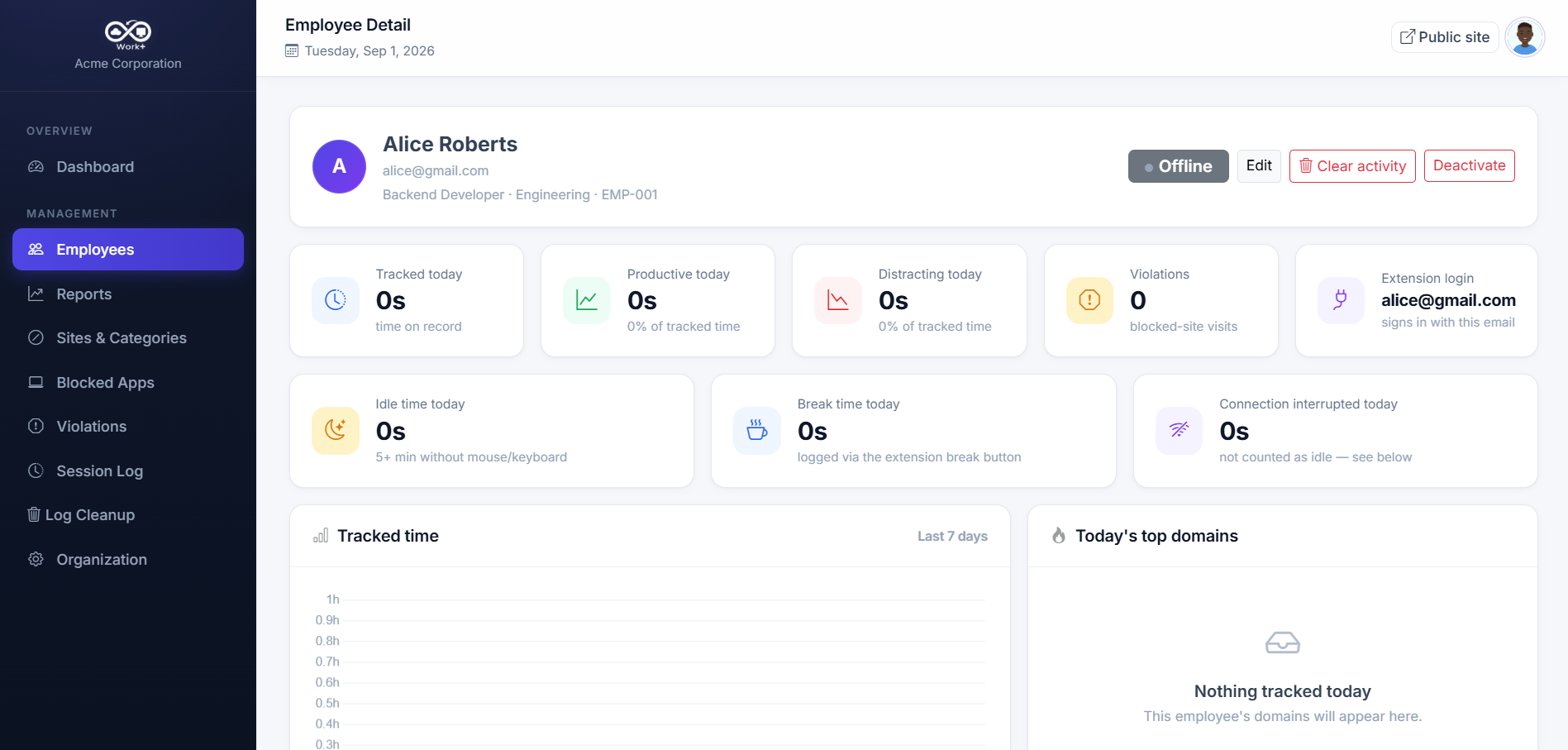
Employee reports
See detailed information about an employee's workday.
Productivity insights
Understand productive and distracting activity.
Website controls
Manage distracting websites during working hours.
Employee reporting
See the full picture of a workday.
Go beyond a simple online status. Understand work sessions, activity patterns, and how time is spent throughout the day.
- Work session timeline
- Active and idle periods
- Browser activity
- Application activity
- Productivity insights
- Detailed employee reports
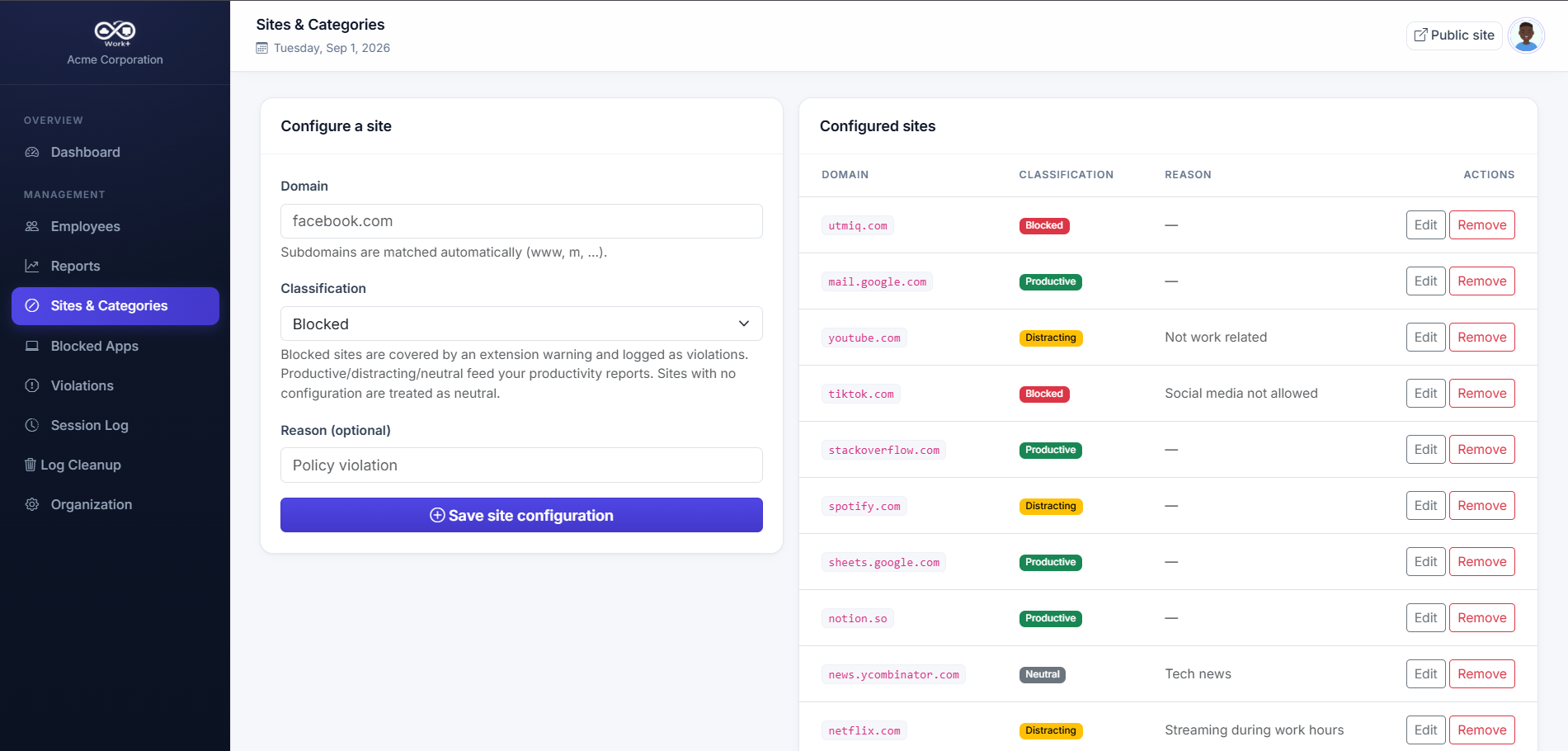
Website controls
Keep work focused.
Create website policies that help reduce distractions during working hours.
- Block distracting websites
- Configure blocked domains
- Manage website policies centrally
- Apply restrictions during working hours
Getting started
From signup to visibility in minutes.
Create your workspace
Set up your organization and invite your team.
Connect your devices
Install the Work+ browser extension or Windows agent.
Understand activity
Review work sessions and activity from your dashboard.
Works where your team works.
Chrome
Browser activity and work-related web usage.
Windows
Desktop activity and work sessions.
Manager dashboard
One place to review team activity.
Mobile
Access information while away from your desk.
Privacy-first
Monitoring without crossing boundaries.
Work+ is designed to give managers useful work visibility without relying on invasive surveillance methods.
- Work sessions
- Browser activity
- Application activity
- Productivity insights
- Website controls
- Reports
- Screenshots
- Keystroke logging
- Hidden surveillance
Use cases
Built for teams that work anywhere.
Remote teams
Understand distributed work without constant check-ins.
Hybrid teams
Get one view across home and office.
Office teams
Understand work activity across company devices.
Growing companies
Create consistent work visibility as your team grows.
Pricing
Simple pricing for growing teams.
14-day free trial · No credit card required
For small teams getting started.
- Up to 5 employees
- Real-time presence
- Activity tracking
- Basic reports
- Community support
For growing teams that need insight.
- Up to 25 employees
- Everything in Free
- Productivity analytics
- Blocked domains
- 7-day report history
- Email support
For organizations with advanced needs.
- Everything in Pro
- Unlimited report history
- Advanced filtering
- Export (CSV)
- Priority support
FAQ
Frequently asked questions
Work+ is a workforce visibility platform that shows managers how work time is spent across browsers and Windows devices — through work sessions, activity, productivity insights, reports, and website controls.
Work+ records work-session and activity-level data: when employees are active, idle, away, or offline, which websites and applications are used during work sessions, and how time breaks down by productivity.
No. Work+ never captures screenshots of employee devices.
No. Work+ does not log keystrokes. It captures domain-, URL-, and app-level activity only.
Yes. Admins can configure blocked domains and website policies that apply during working hours to help teams stay focused.
Yes. Work+ includes a Windows desktop agent that captures desktop work activity and work sessions outside the browser.
Every organization gets a free 14-day trial of Work+, with no credit card required.
Yes. You can cancel your plan at any time without penalty.
Understand your team's work better.
Get the visibility you need to manage work better — without invasive surveillance.